Overview

The white labeling feature is supported only in the Professional Edition.
White labeling in SENTIENT allows businesses to customize the platform’s appearance and branding to align with their own corporate identity. Please refer to the SENTIENT White Labeling documentation. There you will find step-by-step instructions on how to customize the SENTIENT logo and web interface.
The white labeling feature supports particular hierarchy. The tenant can override the configurations set by the system administrator, tenant-set configurations can be overridden by the customer, and so on.
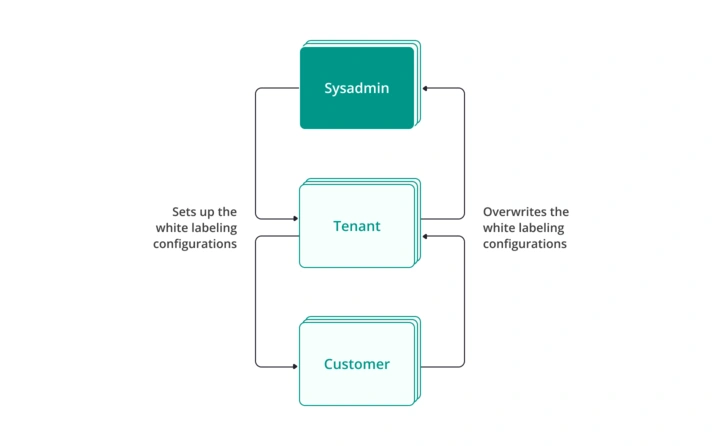
Similarly, white-labeling configurations are propagated to the Edge instances:
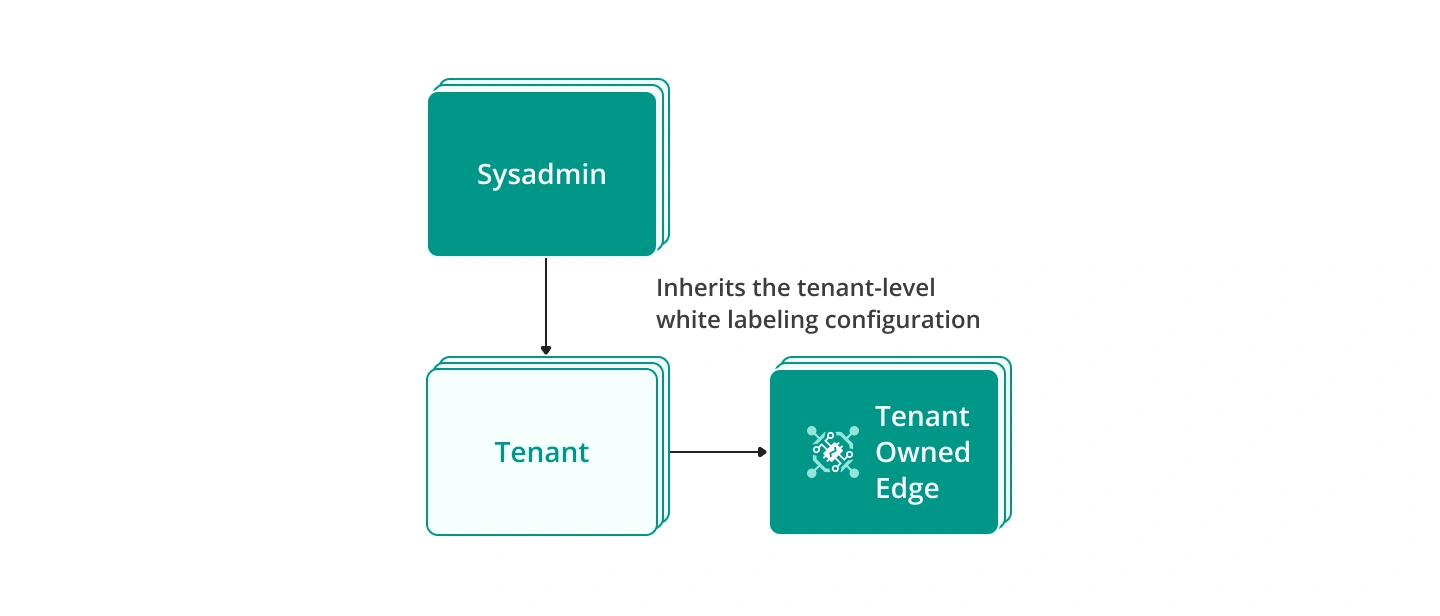
- Tenant-Owned Edge: If the edge is owned by a tenant, the white labeling settings are retrieved from the tenant level and merged with those from the system administrator.
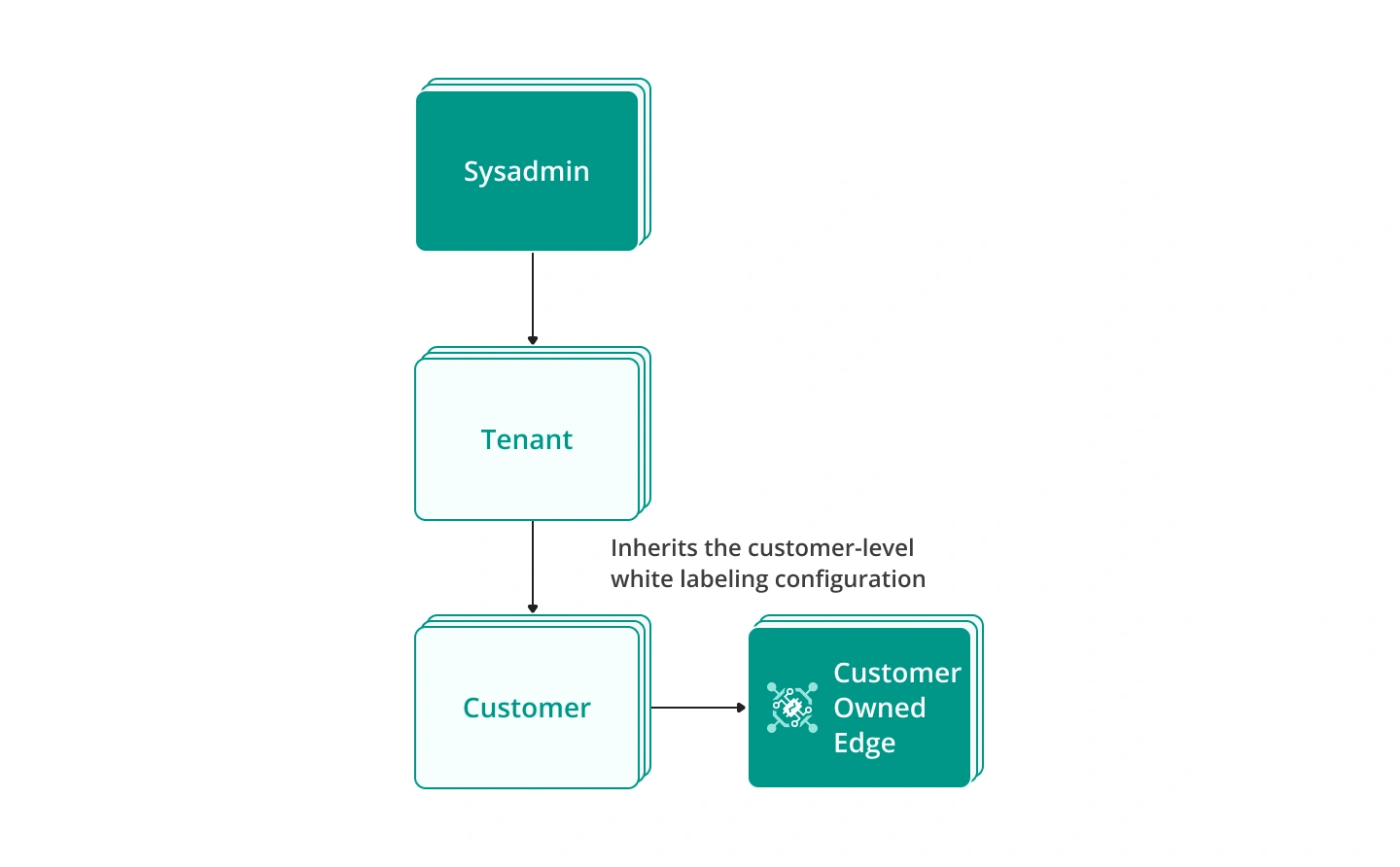
- Customer-Owned Edge: If the edge is owned by a customer, the white labeling settings are taken from the customer of the edge and merged with those from the tenant and system administrator.
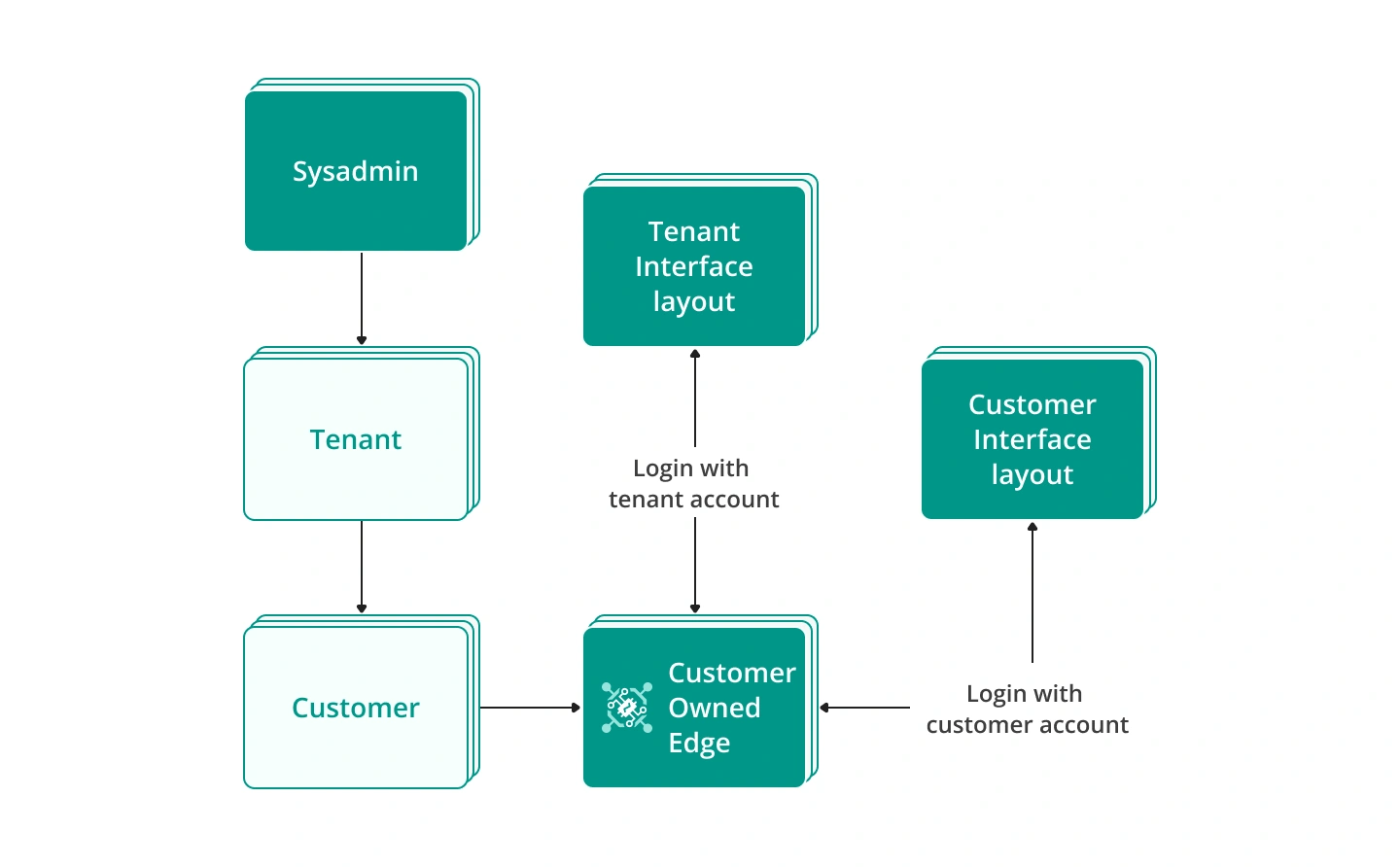
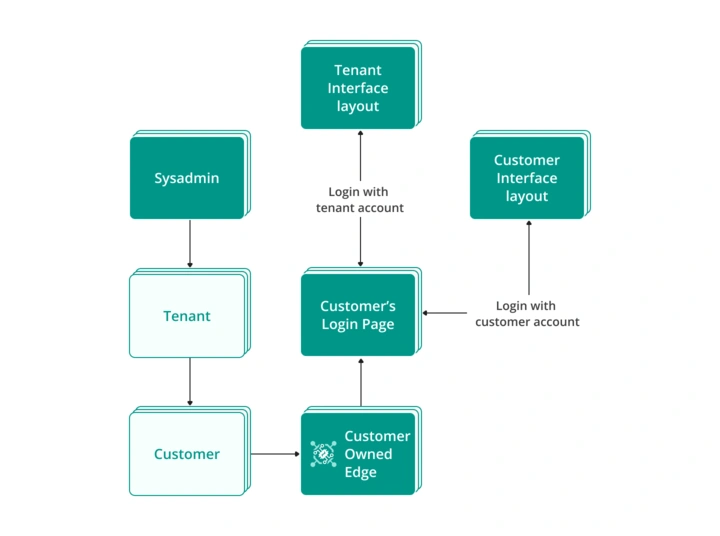
However, the displayed interface depends on the account used to log in to an Edge instance.
For example: When a user logs in to a customer-owned Edge with the tenant account, that user will see the interface for a tenant.
Edge Login Page
SENTIENT also allows customization of the login page. In a multi-tenant environment, domain-based branding defines the configurations that apply at login, meaning that different tenants can have different branding configurations. Read about login page configurations here.
For example: If a user logs in from a specific domain (companyA.com), SENTIENT applies the white labeling settings associated with that domain. If no custom domain is set, the default settings apply.
On the Edge side domain name is not used in any way.
The appearance of the Edge login page depends on the ownership only.
For example: When a user logs in to the customer-owned Edge, the customer’s white-labeling login configurations are applied.
Other Configurations
The white labeling configuration for Edge is designed in the same way as for the Platform (Server or Cloud). Please refer to the Platform White Labeling documentation for detailed configuration instructions:
Next Steps
-
Getting started guide - Provide quick overview of main SENTIENT Edge features. Designed to be completed in 15-30 minutes:
-
Installation guides - Learn how to setup SENTIENT Edge on various available operating systems and connect to SENTIENT Server.
-
Edge Rule Engine:
-
Rule Chain Templates - Learn how to use SENTIENT Edge Rule Chain Templates.
-
Provision Rule Chains from cloud to edge - Learn how to provision edge rule chains from cloud to edge.
-
- Security:
- gRPC over SSL/TLS - Learn how to configure gRPC over SSL/TLS for communication between edge and cloud.
-
Features:
-
Edge Status - Learn about Edge Status page on SENTIENT Edge.
-
Cloud Events - Learn about Cloud Events page on SENTIENT Edge.
-
-
Use cases:
-
Manage alarms and RPC requests on edge devices - This guide will show how to generate local alarms on the edge and send RPC requests to devices connected to edge:
-
Data filtering and traffic reduce - This guide will show how to send to cloud from edge only filterd amount of device data:
-
- Roadmap - SENTIENT Edge roadmap.