
Only Professional Edition supports Mail Settings feature.
Use SENTIENT Cloud or install your own platform instance.
Introduction
SENTIENT uses mail templates to send email notifications to users when certain events occur. For example, a message about activating an account or resetting a password.
NOTE
To send messages via Email, a tenant administrator should be configured outgoing mail server.
SENTIENT provides default system mail message templates with sample content, which can be customized individually from the list.
To do this, following steps:
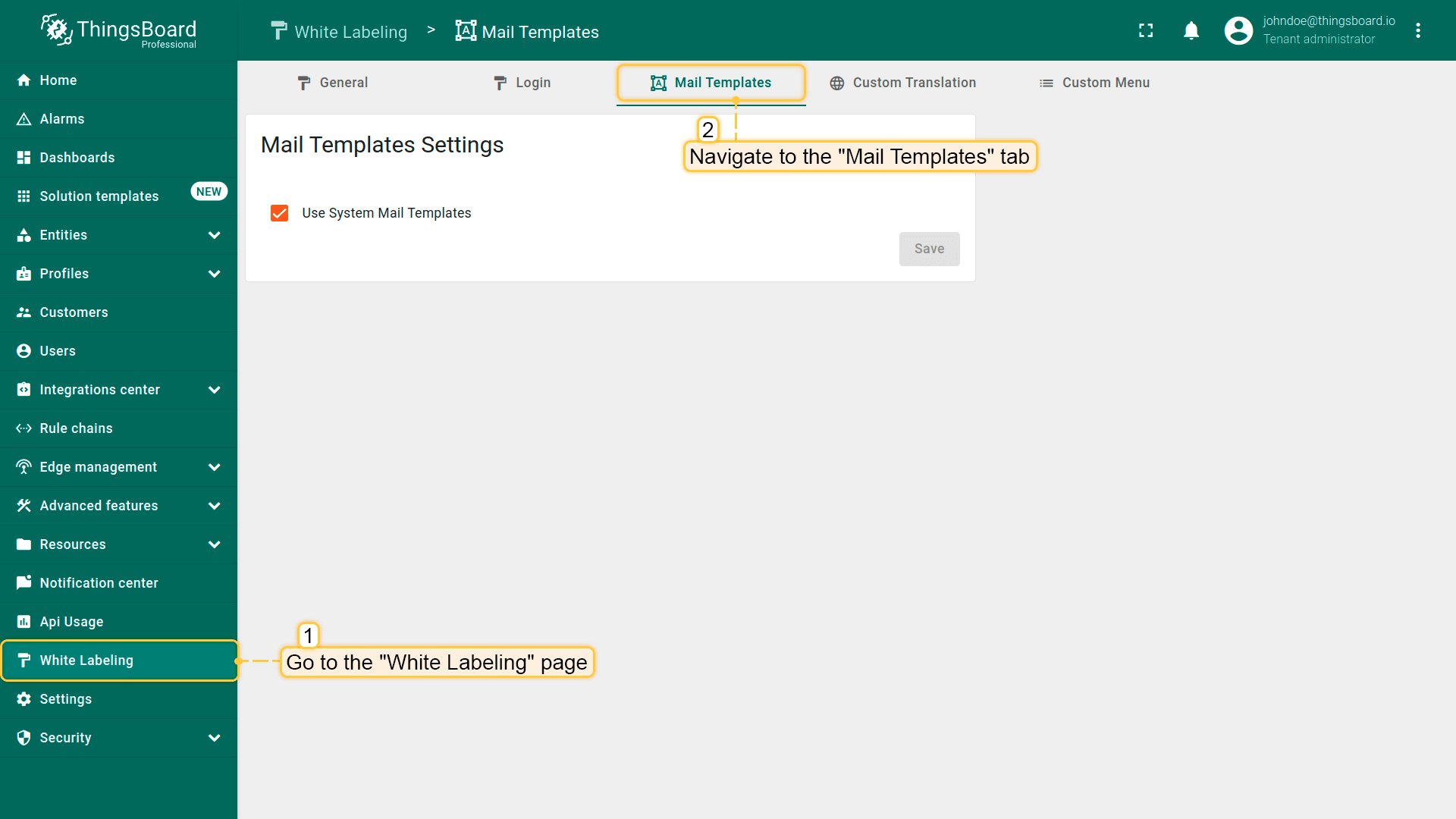
- Go to the “White Labeling” page -> “Mail Templates” tab;
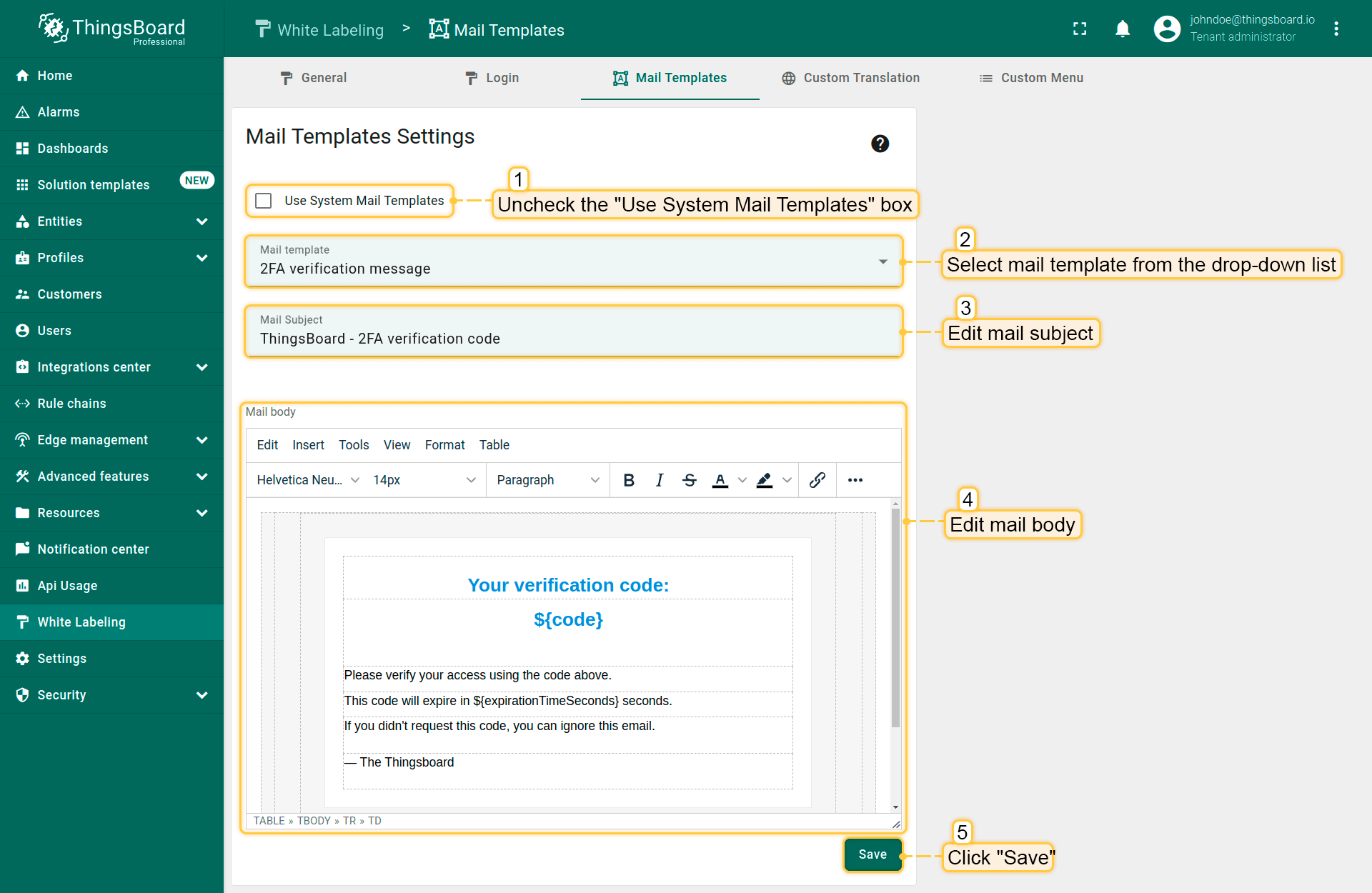
- Uncheck “Use System Mail Templates” box;
- Select mail template from the drop-down list, that you want to edit;
- Edit mail subject and mail body;
- Save changes.
Next steps
-
Getting started guides - These guides provide quick overview of main SENTIENT features. Designed to be completed in 15-30 minutes.
-
Installation guides - Learn how to set up SENTIENT on various available operating systems.
-
Connect your device - Learn how to connect devices based on your connectivity technology or solution.
-
Data visualization - These guides contain instructions on how to configure complex SENTIENT dashboards.
-
Data processing & actions - Learn how to use SENTIENT Rule Engine.
-
IoT Data analytics - Learn how to use rule engine to perform basic analytics tasks.