This guide describes how to activate SENTIENT ANALYTICS in your SENTIENT public Cloud environment via the Billing page.
Activation Steps
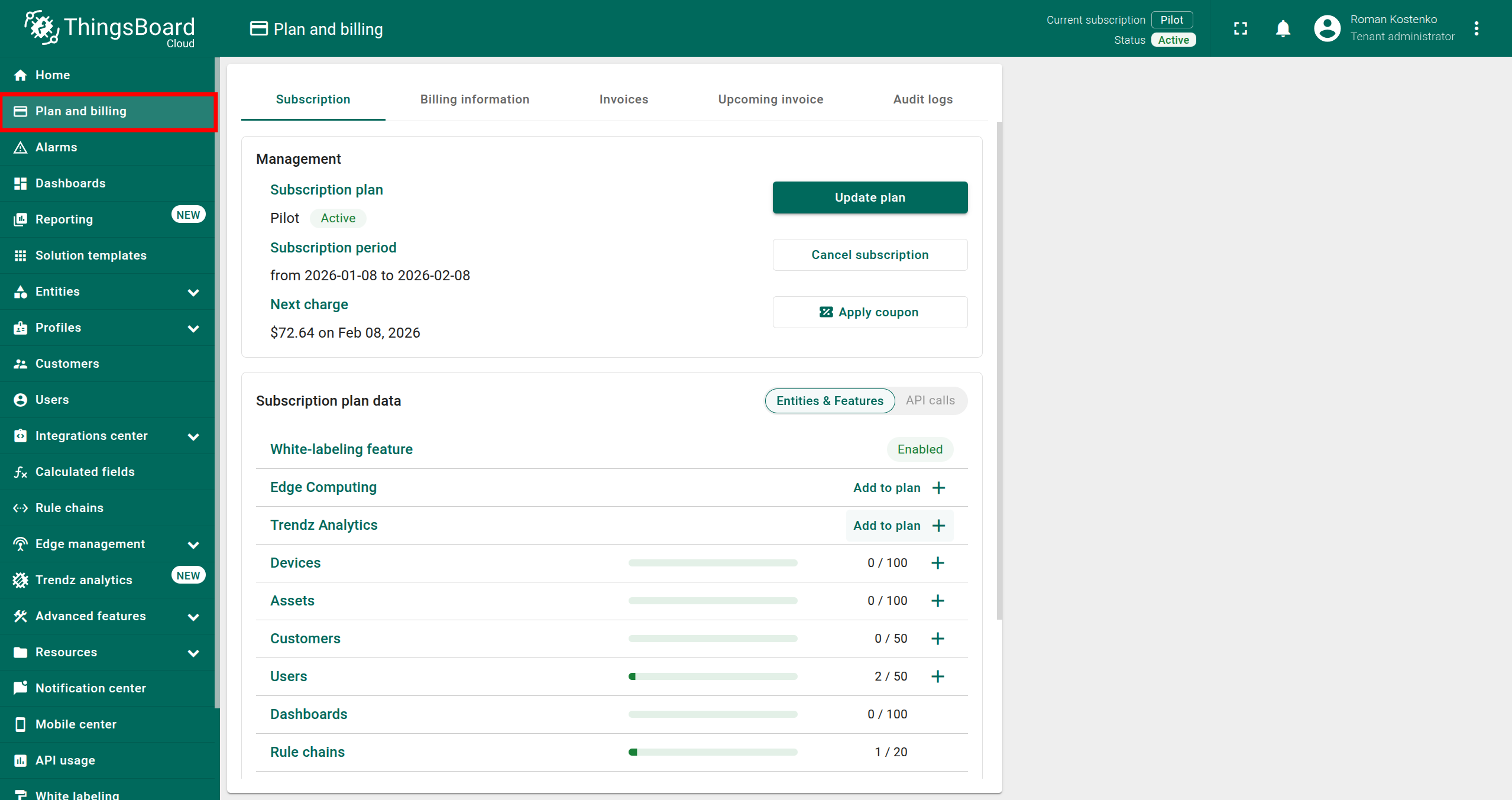
Step 1. Open the Billing Page
- Log in to your SENTIENT Cloud environment.
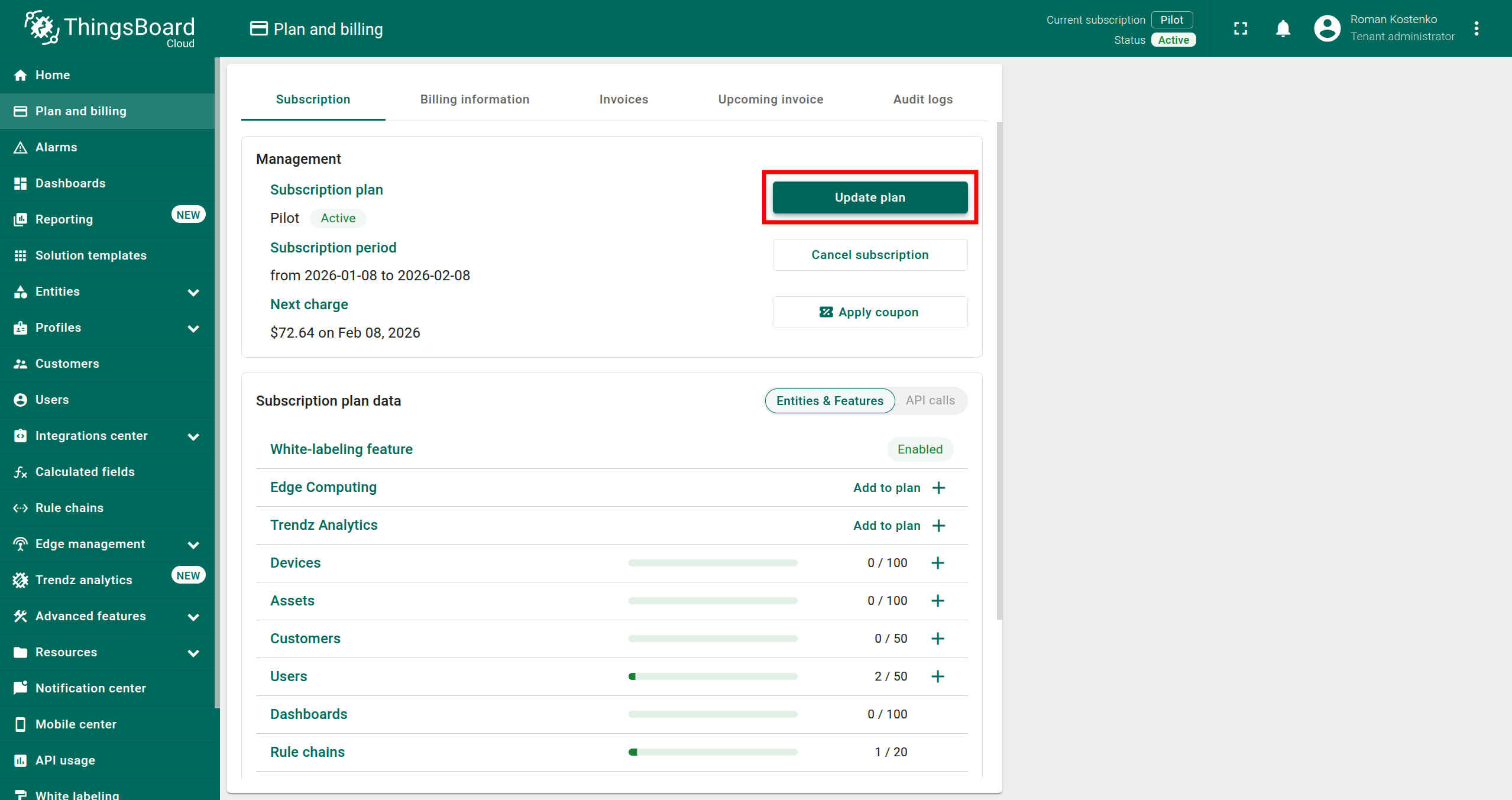
- In the left-side navigation menu, open the Plan and Billing page.
Step 2. Add the SENTIENT ANALYTICS add-on
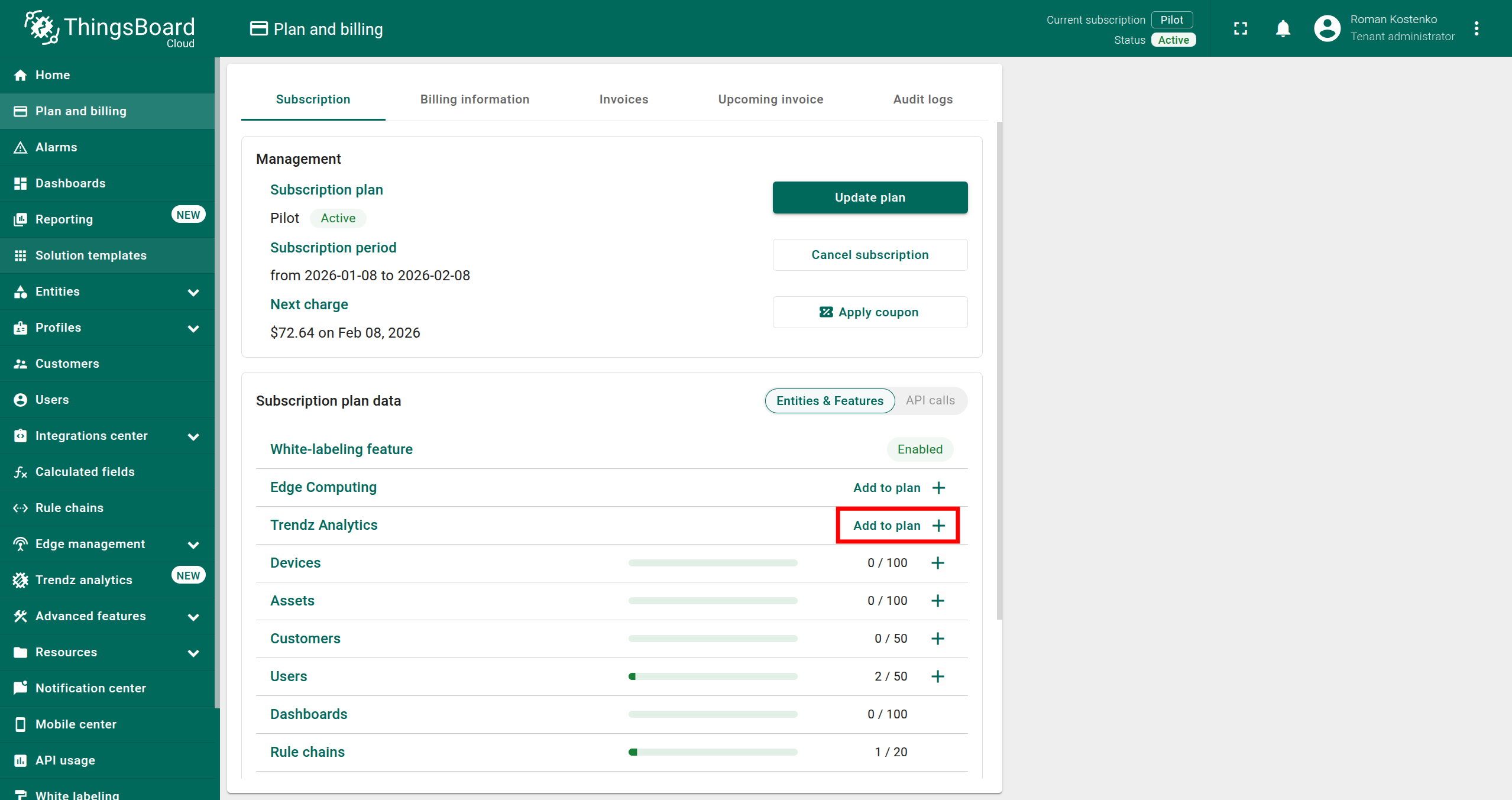
Option A: Add SENTIENT ANALYTICS add-on only
- Click the Add to plan + button in the SENTIENT ANALYTICS row.
- Click the Next: Summary button.
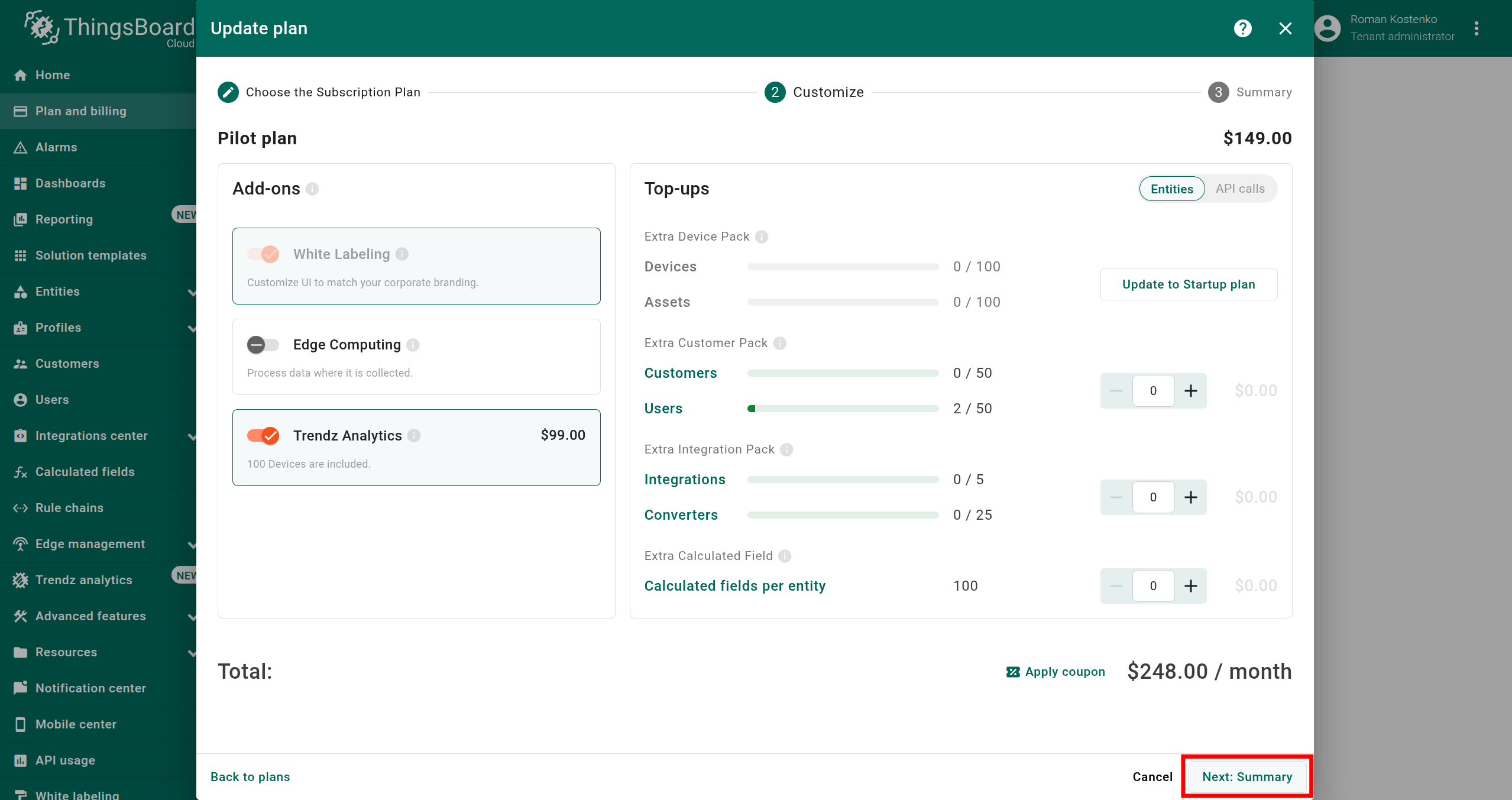
Option B: Change subscription plan and add SENTIENT ANALYTICS add-on
- Click the Update plan button.
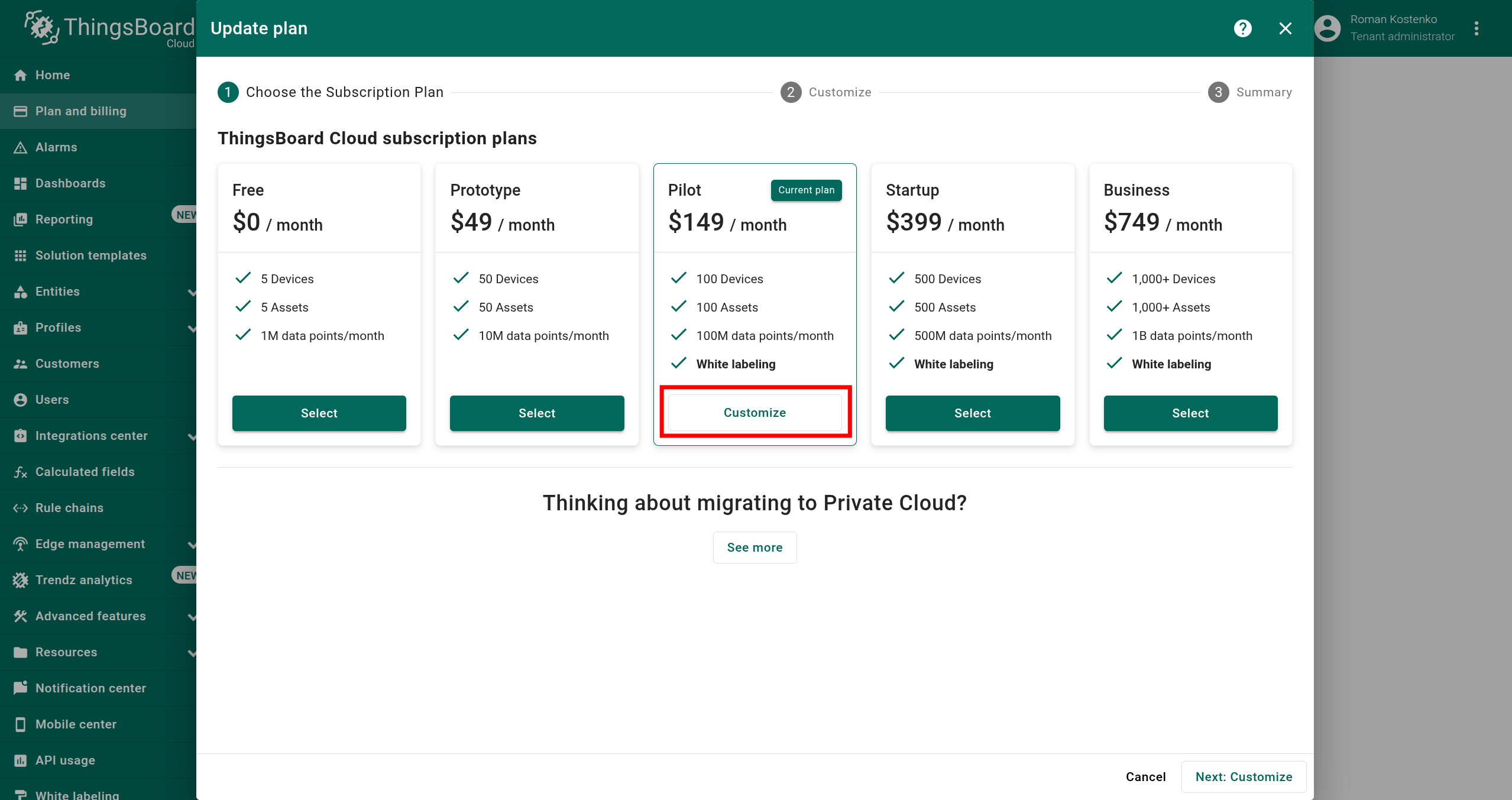
- In the modal that appears, select the most suitable plan for your business goals and click the Customize or Select button.
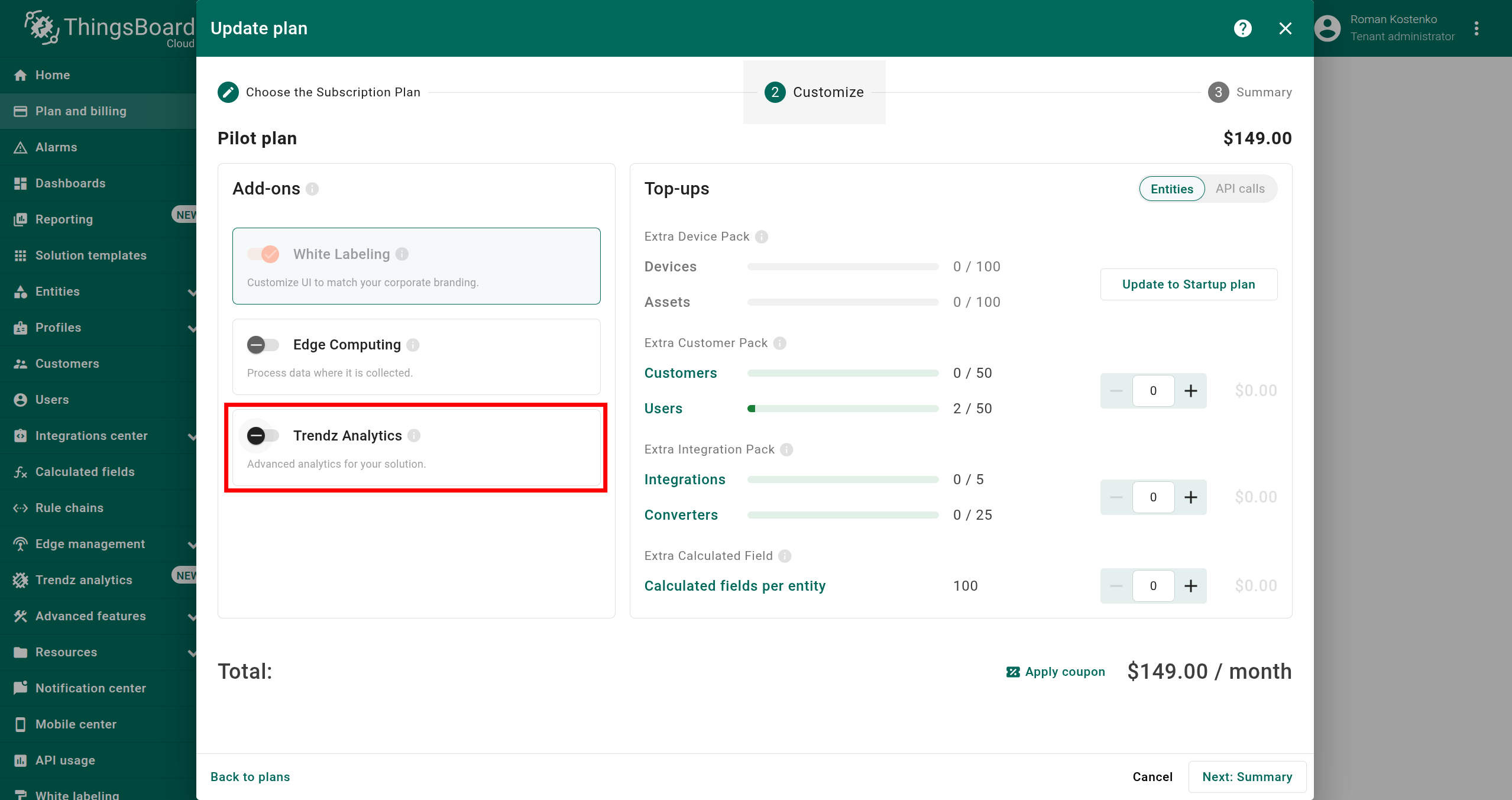
- In the Customize step, enable the SENTIENT ANALYTICS add-on.
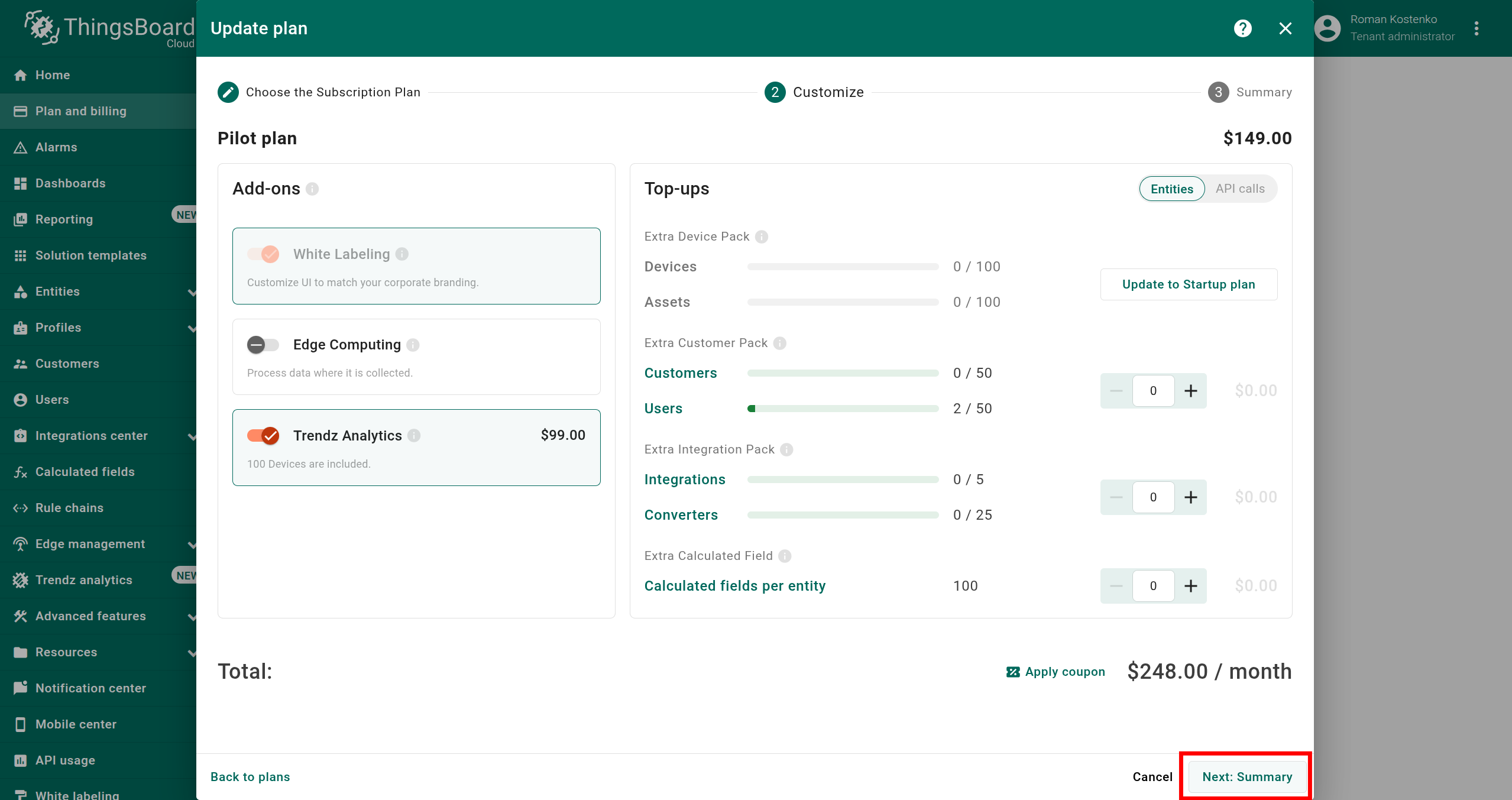
- Click the Next: Summary button.
Step 3. Activate plan
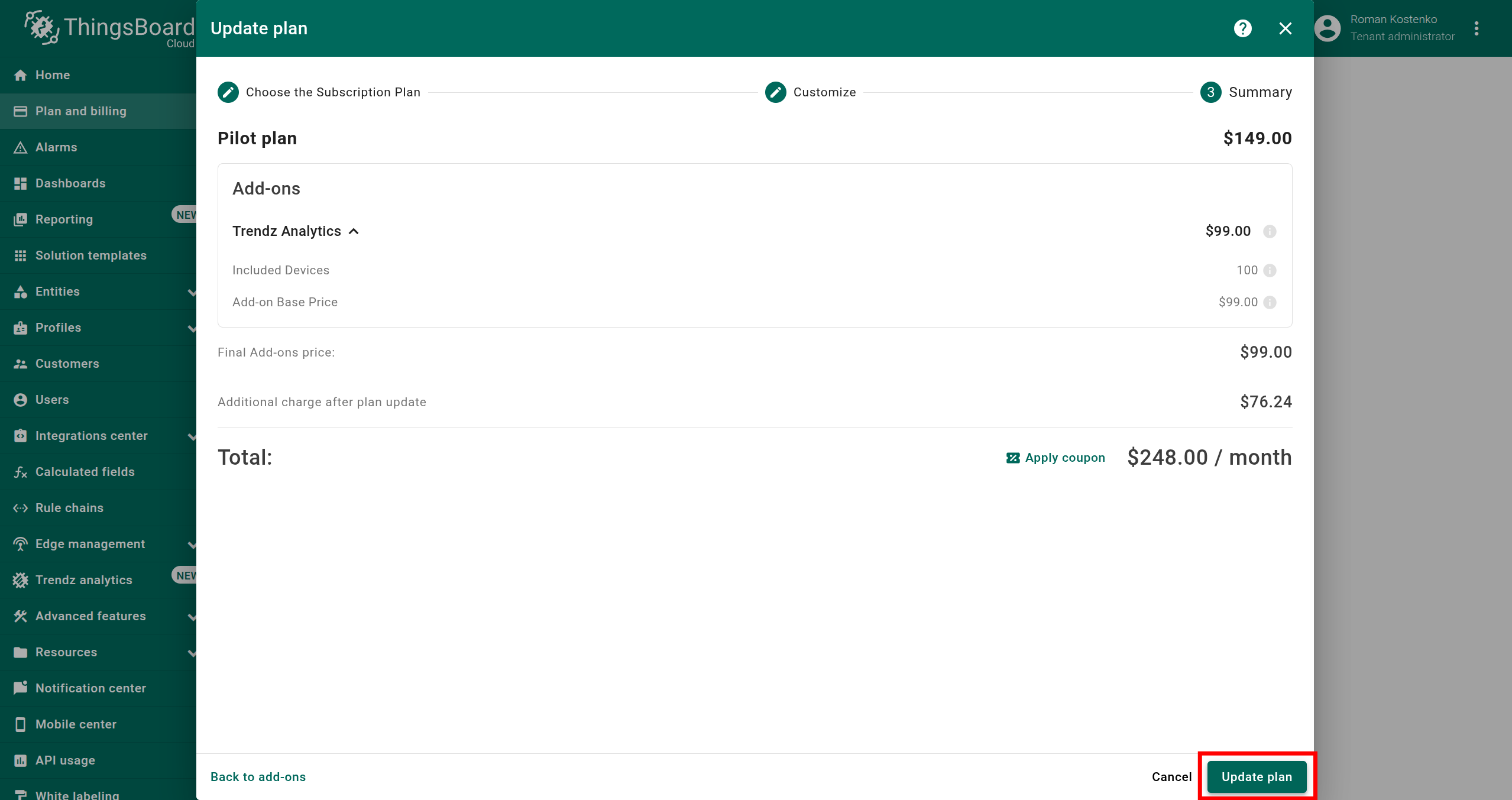
- Review your plan configuration to ensure everything is correct.
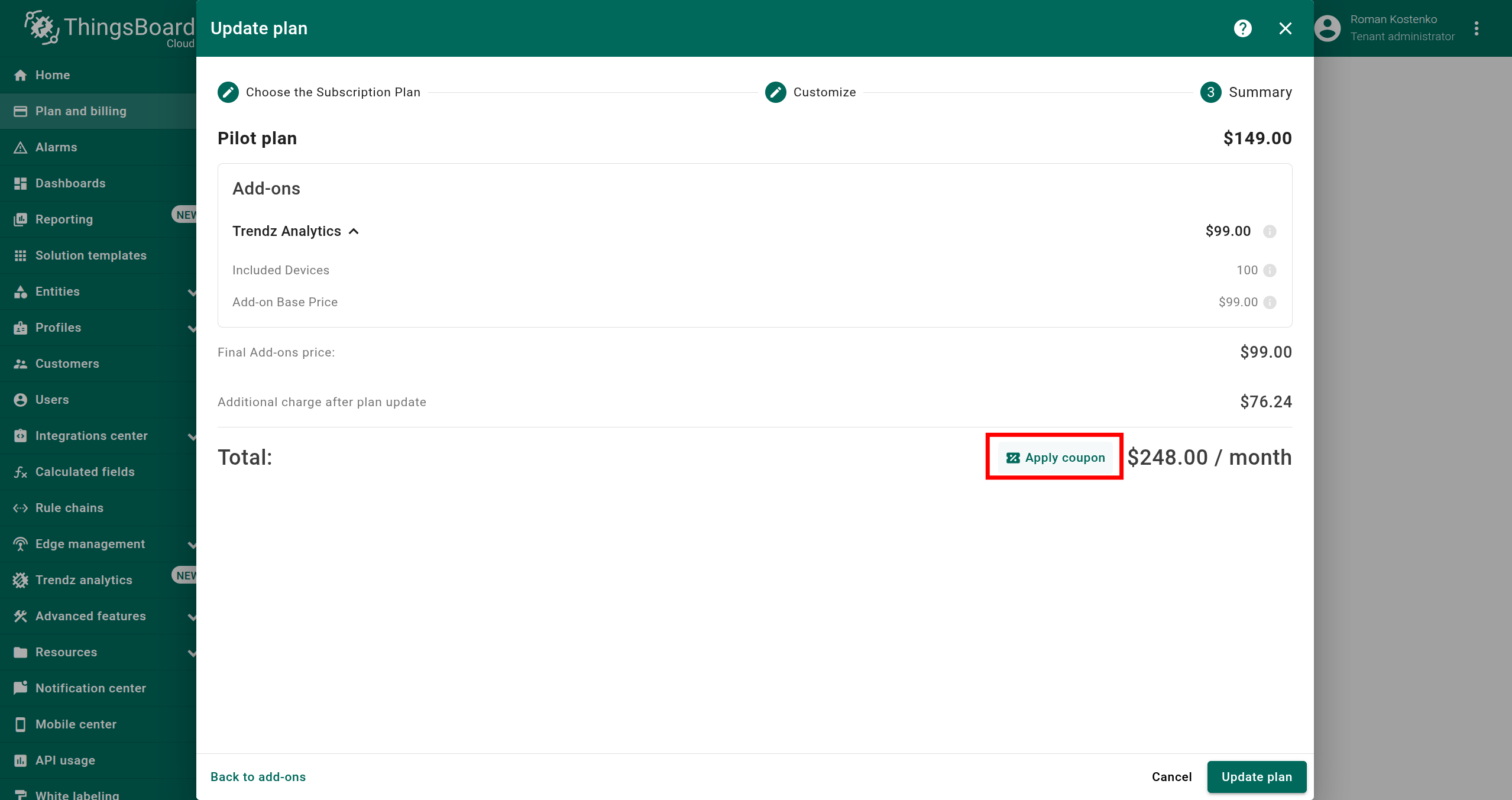
- If you have a coupon code, click Apply coupon button and submit it.
- Click the Update plan button to activate your plan.
- Verify that SENTIENT ANALYTICS
Step 4. Access SENTIENT ANALYTICS Interface
You can access the SENTIENT ANALYTICS interface using the following links:
After the first login to SENTIENT ANALYTICS, you need to discover topology to allow SENTIENT ANALYTICS to know about assets, devices, their profiles and relations:
- Click the Discover Topology button to start topology discovery process.
- Wait until your topology will be discovered.
- Click the Finish button to close topology discovery page and unlock the main SENTIENT ANALYTICS functionality.
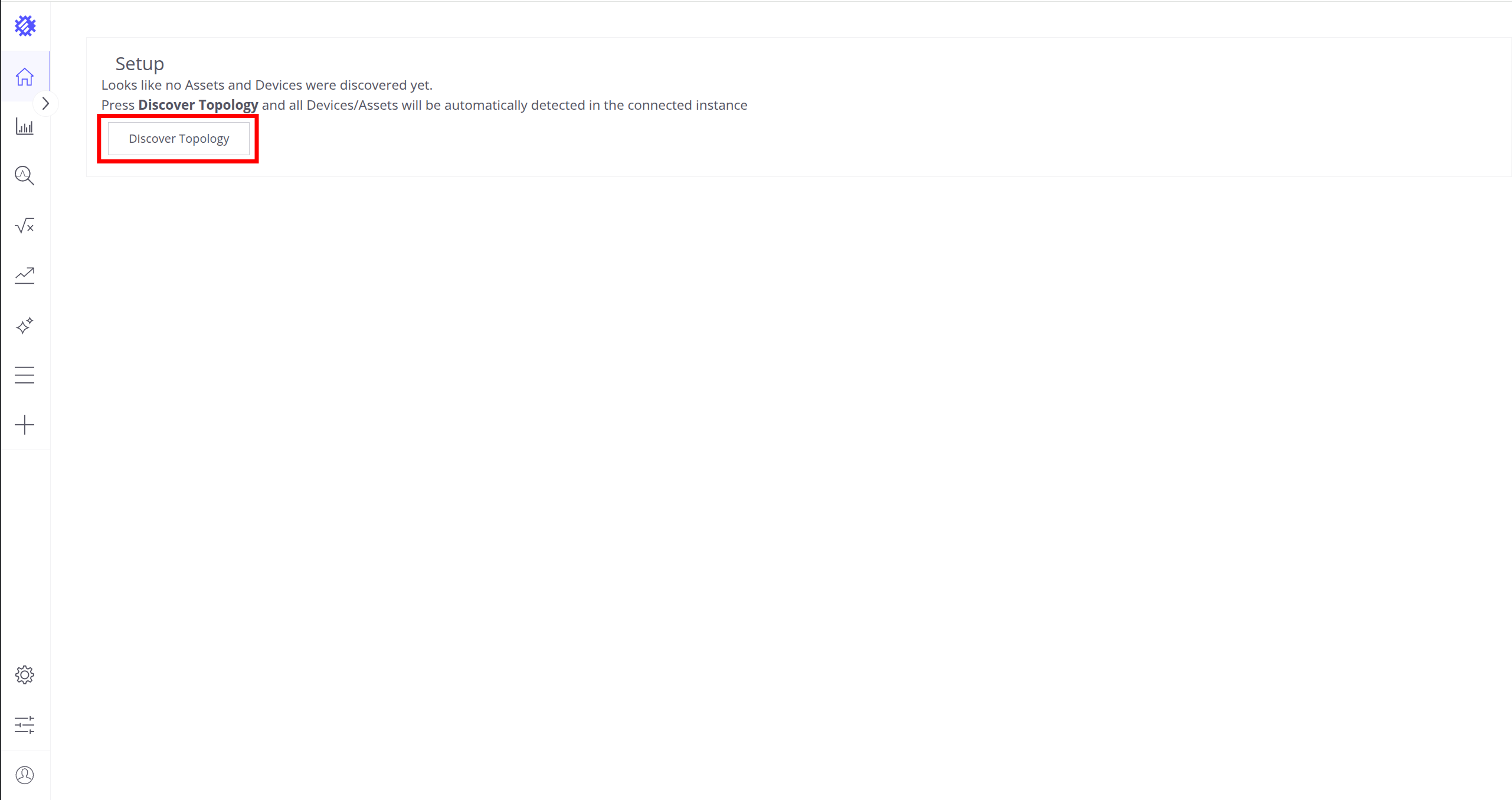
Click the Discover Topology button to start topology discovery process.
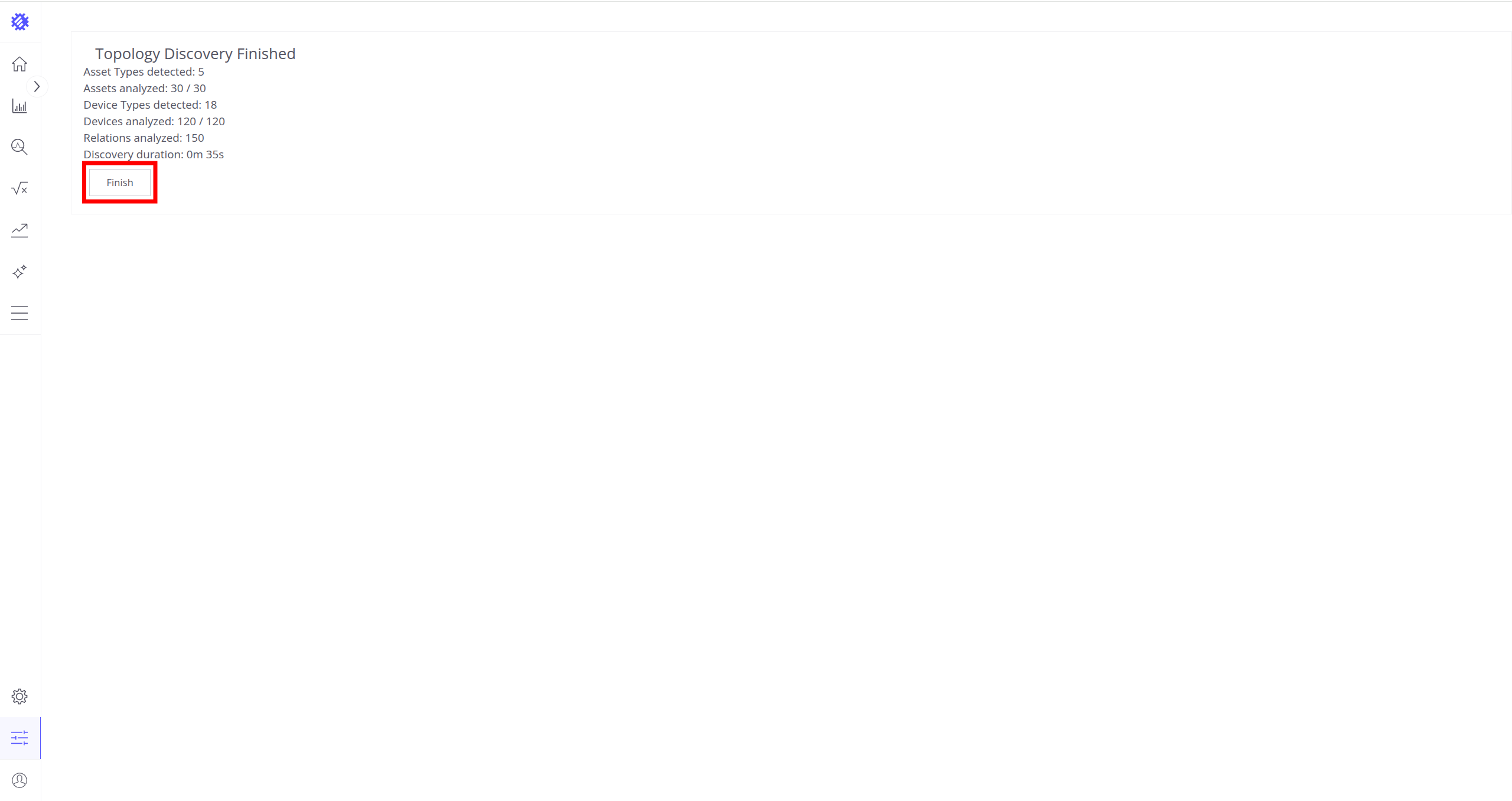
Click the Finish button to close topology discovery page and unlock the main SENTIENT ANALYTICS functionality.
You could read more about how SENTIENT ANALYTICS uses this topology here.
Pricing
You can find out up-to-date prices on SENTIENT ANALYTICS add-on in the SENTIENT billing page as it is shown on step-3.
If you have any questions about anything, just contact us - our team will help you find the best solution tailored to your requirements.
Next Steps
- Follow our Getting Started guide to explore all SENTIENT ANALYTICS capabilities.
- Visit our Documentation to explore all SENTIENT ANALYTICS capabilities and features.